Scanner Names Overview
Each scanner can be assigned a unique name, making it easy to track scans from different entrances or for specific purposes. The assigned scanner name is automatically included in the salesperson not…

Updated
by Joshua Ridge
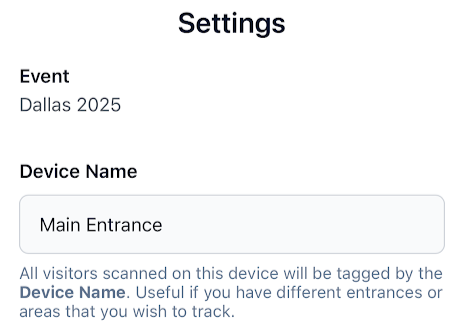
Each scanner can be assigned a unique name, making it easy to track scans from different entrances or for specific purposes. The assigned scanner name is automatically included in the salesperson notification, providing helpful context. The web page that lists the visitors scanned can be sorted and filtered by the scanner name.
For example, if one scanner is named "Front" and the other named "Back" each scan made will include "Front" or "Back" in the notification sent to the salesperson.
If no names are entered, all scanners default to “Main Entrance.” You can change scanner names yourself at any time directly within the app.
How did we do?
Prompt for Comments Overview
Visitor Tag Matching Overview
